![Logo-RETR-300x300-1.png]](https://kb.retr.app/hs-fs/hubfs/Logo-RETR-300x300-1.png?width=60&height=60&name=Logo-RETR-300x300-1.png)
To change your RETR email address (your username), go to the RETR login page, enter your old email, and select “Can’t access your account?” RETR then texts a two-factor authentication code to your phone, and you use that code to update your email. You can do this even if you no longer have access to your old email, for example after changing companies.
How to Update Your RETR Email Address
Step 1: Go to the RETR login page
Open the RETR login page.
Step 2: Enter your old email address
Type the email address currently on your RETR account and click “Continue.”
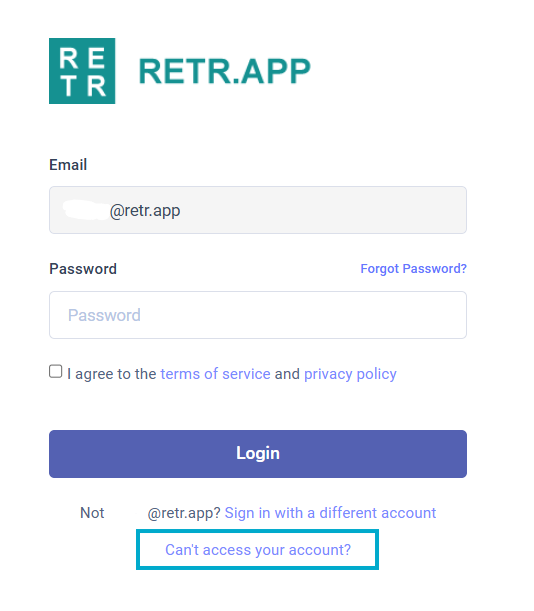
Step 3: Select “Can’t access your account?”
On the password screen, click the “Can’t access your account?” prompt at the bottom of the page.
Step 4: Enter the two-factor authentication code
RETR sends a two-factor authentication code to the mobile number on your account. Enter the code to verify your identity.
Step 5: Update your email address
Enter your new email address to finish the change. Use this email to log in from now on.
Can I Change My Email If I Can’t Access My Old Email?
Yes. The code goes to your mobile phone, not your old email, so you can update your email even if you’ve changed companies and no longer have access to your old inbox.
- ✅ You can change your email without access to your old email address, as long as your mobile number is on file.
- ❌ You cannot change your email yourself if there’s no mobile number on your account. Contact support instead (see below).
What If I Don’t Have a Mobile Number on File?
If your account has no mobile number, RETR support can update your email for you. Email support@retr.app with:
- Your name
- Your NMLS (Nationwide Multistate Licensing System) number
- The current email address on your account
- The new email address you want to use
- Your mobile number, so it can be added for future email changes