![Logo-RETR-300x300-1.png]](https://kb.retr.app/hs-fs/hubfs/Logo-RETR-300x300-1.png?width=60&height=60&name=Logo-RETR-300x300-1.png)
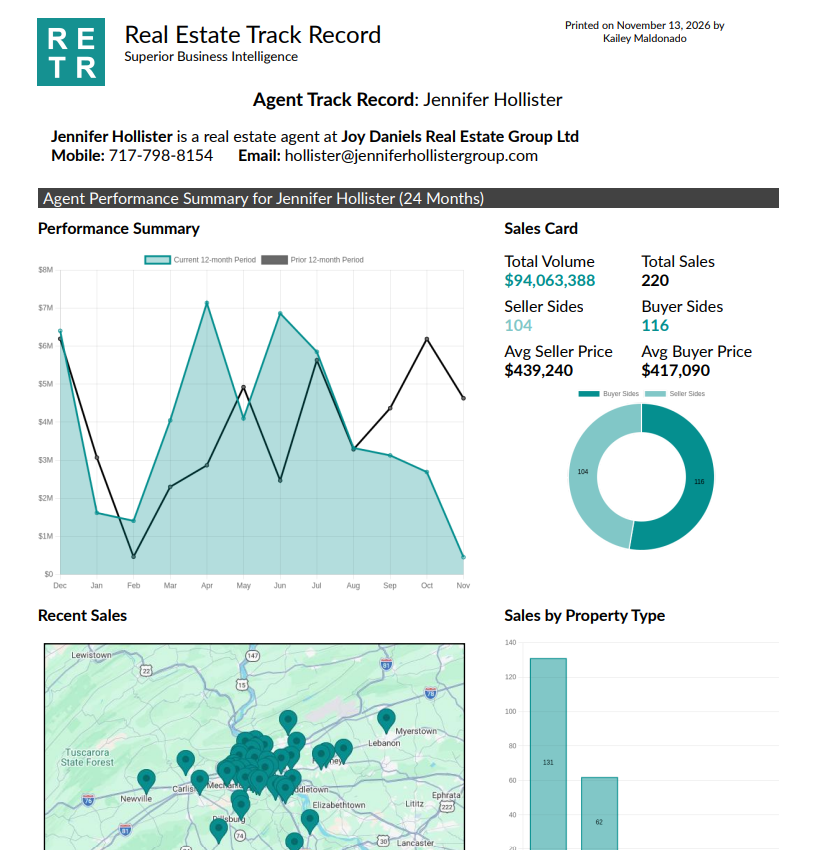
Track Records are shareable PDF reports in RETR that show a real estate agent’s or loan officer’s (LO’s) performance and transaction history. Use them in your outreach to build trust with prospects, nurture past agents, and win new business.
What is a Track Record in RETR?
A Track Record is a downloadable PDF snapshot of a professional’s production and transaction history. Agents find this information valuable, so sending one is an easy way to open a conversation and give them a reason to work with you.
- ✅ You can download Track Records for real estate agents
- ✅ You can download Track Records for loan officers
- ✅ You can choose the timeframe the report covers
- ✅ You can attach the PDF to emails and other outreach
Where to find Track Records in RETR
Every agent and loan officer profile has a Track Record. Look for Instant Track Record in the left-hand sidebar of the profile.
How to download an agent Track Record
Step 1: Open the agent’s profile
Go to any agent’s profile and find Instant Track Record in the left-hand sidebar.
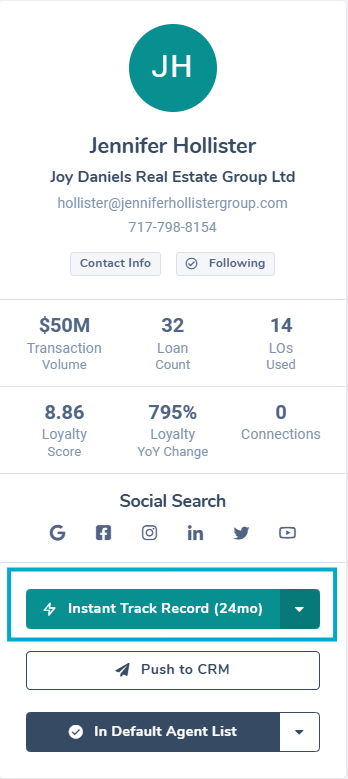
Step 2: Choose a timeframe
Click the arrow dropdown and pick one of these timeframes:
- 12 months
- 24 months
- Year to date
Step 3: Download the PDF
When the Track Record PDF opens, use your browser’s download option to save it.
Step 4: Use it in your outreach
Attach the Track Record to your outreach emails to agents to start conversations and grow your business.
Are there Track Records for loan officers?
Yes. RETR has Track Records for loan officers too, which makes them useful for recruiting LOs as well as for agent outreach. The steps are the same as for agents.
Step 1: Open the loan officer’s profile
Go to any loan officer’s profile and find Instant Track Record in the left-hand sidebar.
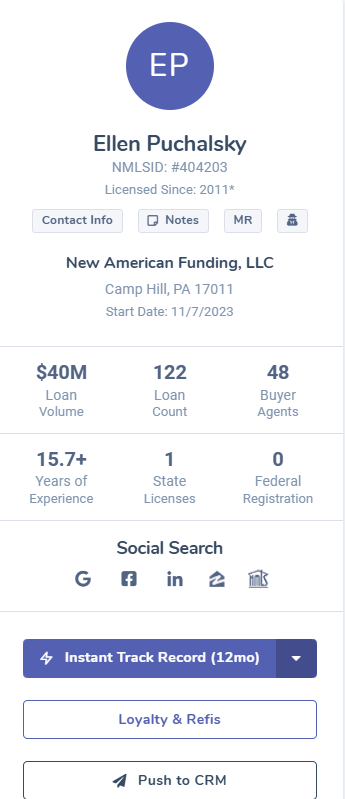
Step 2: Choose a timeframe
Click the arrow dropdown and pick one of these timeframes:
- 12 months
- 14 months
- 24 months
- Year to date
Note: The 14-month timeframe is only available for loan officer Track Records. It isn’t available for agents.
Step 3: Download the PDF
When the Track Record PDF opens, use your browser’s download option to save it.
Step 4: Use it in your recruiting outreach
Attach the Track Record to your recruiting emails to loan officers to show you know their business.