![Logo-RETR-300x300-1.png]](https://kb.retr.app/hs-fs/hubfs/Logo-RETR-300x300-1.png?width=60&height=60&name=Logo-RETR-300x300-1.png)
In RETR, we give you two options for how to save the agents you discover that you may want to prospect - saving an agent to a list, and following the agent.
When you add an agent to a list, you are adding them with the intention of exporting their production data either immediately or at a later time, and organizing their data by whatever search parameter you were initially searching for.
Following an agent does not add them to a list, but that agent will pop up in your dashboard, where you can easily track the agent’s recent purchase activity and listings + open houses. Agent's you've previously worked with will automatically appear in your dashboard as well by default, no need to follow those agents! In addition, for any agents you follow or have previously worked with, you'll receive weekly Agent Intelligence Report emails tracking their recent activity. For agents you follow, there is a limit of 100 agents. (again, this does not include agents you've already worked with)
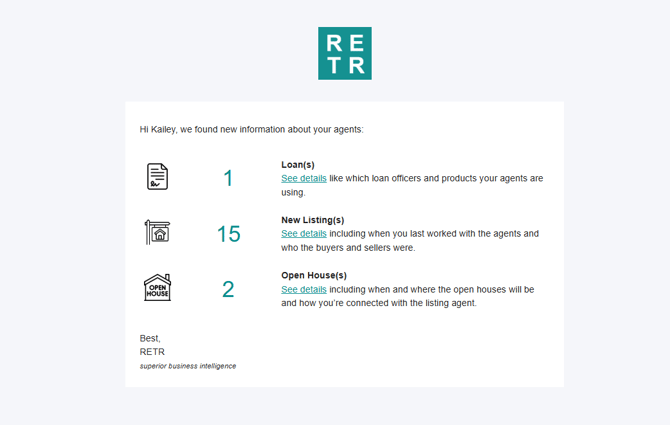
You can both follow an agent and add them to a list, as this is a great way to not only save the agent's existing data, but keep track of new data as well.
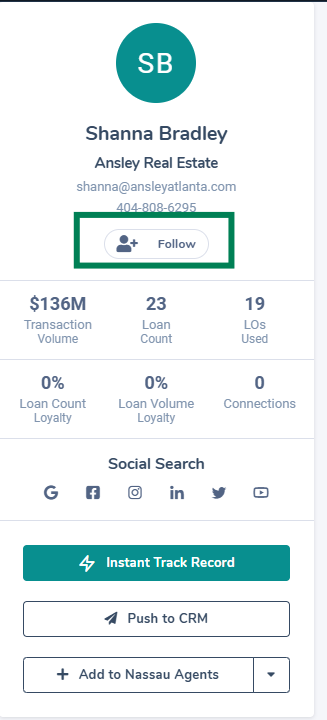
To follow an agent, head to their profile and hit the “follow” button under the contact info. You can also add an agent to a list from their profile as well.
To add an agent to a list, follow the steps outlined in this article: How do I search for agents & add them to a list?